uORB Write Advanced Module Documentation
Toolbox: uORB Read and Write
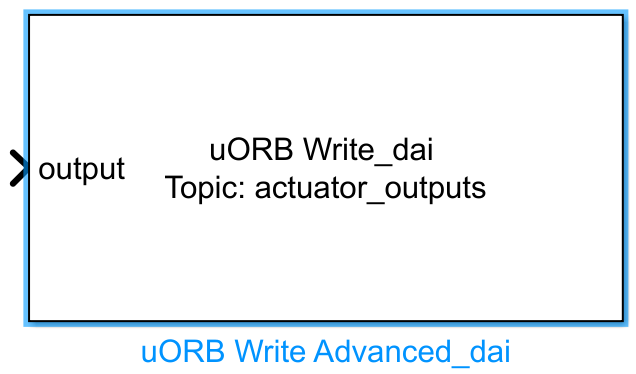
Introduction
One-sentence Description: An advanced PX4 uORB message custom publishing module, supporting flexible, configurable customization of uORB message publishing.
This module belongs to the uORB read/write interface library in the RflySim toolchain, targeting development scenarios requiring customized uORB message publishing. It serves as an enhanced extension of the basic uORB publishing module. Users can autonomously select target uORB topics, independently configure input ports for each message field, and access advanced configuration options such as message queue priority and queue size—enabling precise control over uORB message publishing in complex simulation scenarios.
Within the RflySim simulation toolchain, this module runs in the Simulink environment, encapsulating custom data generated in Simulink into uORB messages according to configuration and sending them to the PX4 simulation process. This enables customized data exchange between Simulink and the PX4 flight controller, commonly used for developing custom flight control algorithms, sensor data injection, and other tailored simulation scenarios. When used in conjunction with the uORB Read series modules, it supports the complete custom uORB communication workflow.
Port Descriptions
Input Ports (Inputs)
The number of input ports for this module is determined by configuration. Each input port corresponds to one message field of the uORB topic, following a generic format:
| Port Name | Data Type | Dimension | Description |
|---|---|---|---|
| Custom Field Name | Determined by parameter configuration | Determined by parameter configuration | Data to be published for the specified uORB topic field |
Output Ports (Outputs)
This module has no output ports.
Parameter Configuration (Parameters)
The Mask dialog box, opened by double-clicking the module, allows configuration of the following parameters:
| Parameter Name | Type | Default Value | Optional Values/Range | Description |
|---|---|---|---|---|
uORB Topic |
string |
vehicle_gps_position |
- | Name of the uORB topic to be published; the .msg file can be selected via the UI button to complete the configuration |
| Variable Name | string |
Auto-filled | - | Name of the corresponding uORB topic field; also serves as the input port name |
| Variable Type | enum |
Auto-filled | double, single, int8, uint8, int16, uint16, int32, uint32, boolean |
Data type of the corresponding uORB field |
| Variable Dimension | int array |
Auto-filled | Positive integers | Dimension of the corresponding uORB field; for 1D arrays, fill in [1 N]; for multi-dimensional arrays, fill in actual dimensions |
Advertisement Queue |
int |
1 |
≥1; 0 means no queue |
Priority level of the uORB message advertisement queue; higher values indicate higher priority |
Sample time |
double |
0.01 |
>0 |
Module sampling time, in seconds |
Parameter Configuration Notes
uORB Topic
Select the uORB topic to be published. Click Select.msg file to open a topic list and choose the corresponding message definition file. Click Open.msg file to view the field definitions of the message. After modification, click Apply to automatically populate all message field names, types, and dimensions, and generate the corresponding number of input ports.
uORB Parameter Names and Data Type
This section allows independent configuration for each message field. The module generates the corresponding number of input ports based on the configured number of fields, with each input port corresponding to one uORB message field, matching the configured name and data type.
Advertisement Queue
Configure the priority level of the message queue for the uORB topic advertisement. Values start from 1; 0 indicates no message queue is used. Higher values indicate higher priority, corresponding to different uORB scheduling strategies.
Sample time
Set the module's operational sampling time, in seconds. Match this to the simulation step size of the entire Simulink model.
Module Characteristics (Block Characteristics)
| Characteristic | Value |
|---|---|
| Supported Data Types | double, single, int8, int16, int32, uint8, uint16, uint32, boolean |
| Direct Feedthrough | Yes |
| Sample Time | Discrete |
| Code Generation Support | No |
Data Communication Protocol
This module implements PX4 internal message publishing via the uORB communication mechanism, using the native PX4 uORB transport protocol—no custom network ports are required.
Related Modules
| Module Name | Description |
|---|---|
uORB Read |
Basic uORB message reading module, supporting reading specified uORB topic message fields |
uORB Write |
Basic uORB message publishing module, enabling rapid uORB message publishing |
uORB Read Advanced |
Advanced uORB message reading module, supporting more customizable configuration for message reading |
Usage Example
For related usage examples, refer to the following path:
Please refer to
Readme.pdfin the path above for complete example descriptions and operational steps.
Notes and Common Issues
- Initialization Order: uORB Topic selection must be completed first, and the configuration must be applied by clicking
Applybefore the corresponding message field input ports are automatically generated. After modifying the topic, you must clickApplyagain to update the port configuration; otherwise, errors such as port dimension or data type mismatches may occur. - Message Queue Priority Configuration: The
Advertisement Queueparameter does not support a value of 0. Valid priority levels start from 1; setting it to 0 disables the message queue, which may result in published messages being lost. - Data Type and Dimension Matching: The data types and dimensions of message fields auto-populated by the module are consistent with the native uORB message definitions. Do not modify them arbitrarily; mismatches caused by manual modifications may lead to data parsing errors or simulation crashes.
- Sample Time Matching: The module's
Sample timemust match the base sample time of the simulation model. An overly large sample time may cause the message publishing frequency to fall below the flight-side requirements, potentially triggering abnormal drone control. Conversely, a sample time significantly smaller than the model's base sample time may cause redundant message publishing, increasing the simulation runtime burden. - Topic Conflict: Do not use multiple
uORB Write Advancedmodules to publish the same uORB Topic simultaneously, as this may cause data conflicts among modules, resulting in incorrect message data being received by the flight-side.
Changelog
v4.20(2024-08-09): Added theuORB Write Advancedmodule for advanced uORB message publishing, supporting configurable custom message field input ports, message priority, and queue size settings.