RflyVrpnRecv Module Documentation
Toolbox: RflySim Swarm
Introduction
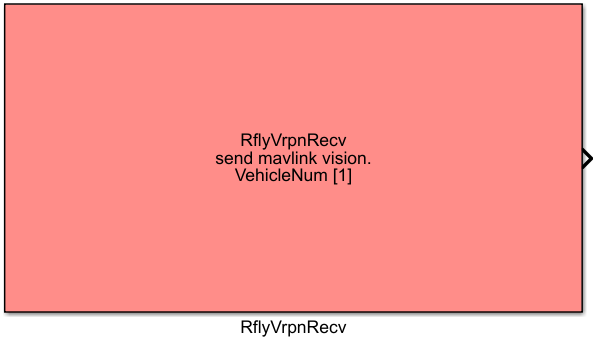
One-sentence Description: In real-flight scenarios, directly receives motion capture system data based on the VRPN protocol and can forward the motion capture information to the multi-robot communication module of PX4 drones.
This module is a motion capture data receiver component developed by the RflySim Swarm toolchain specifically for outdoor/indoor real-drone swarm flight testing. Compared to the approach of routing motion capture data through ROS, it effectively reduces data transmission latency and supports simultaneous reception of motion capture data for single or multiple drones. The module accommodates both continuous and non-continuous drone ID and IP configurations, supports customizable data sampling frequency, outputs integrated multi-drone state data, and requires the vrpn_data_decoder module for data decoding. When the isSendVision parameter is enabled, the module directly forwards motion capture data—including position, velocity, and acceleration—to the corresponding PX4 drone via the MAVLink protocol for fusion by the flight controller’s internal filter. The forwarding function can be disabled in open-loop control scenarios. It supports various network deployment configurations, including co-location of MATLAB and motion capture software on the same machine or cross-machine deployment.
Port Descriptions
Input Ports (Inputs)
This module has no input ports.
Output Ports (Outputs)
| Port Name | Data Type | Dimension | N*30×1 |
Description |
|---|---|---|---|---|
Outputs motion capture state data for all received drones; each drone corresponds to a 30-dimensional data vector, requiring the vrpn_data_decoder module for decoding |
Parameter Configuration (Parameters)
The following parameters can be configured in the Mask dialog box opened by double-clicking the module:
| Parameter Name | Type | Default Value | Optional Values / Range | Description |
|---|---|---|---|---|
Vrpn IP Address |
string |
127.0.0.1 |
Valid IPv4 address string | IP address of the device where the motion capture software is running |
Vehicle number or CopterID list |
vector<int> / int |
1 |
Positive integer / array of positive integers | Configures the number of drones or a custom list of drone IDs |
Sample Time |
double |
1/30 |
>0 or -1 | Module sampling time; set to -1 to inherit the global simulation step size of Simulink |
isSendVision |
bool |
checked |
true/false |
Whether to send received motion capture data to the drone via MAVLINK |
Drone base IP Address or IP list seperated by ',' |
string |
192.168.151.1 |
Valid IP format string | IP address(es) of the target drone(s); multiple non-consecutive IPs should be separated by commas |
Drone base UDP Port or list |
int |
15501 |
Positive integer | UDP port corresponding to the minimum drone ID; used in conjunction with ID configuration |
Parameter Configuration Notes
Vehicle number or CopterID list
When drone IDs are consecutive, simply enter the total number of drones, and combine with the Drone base UDP Port parameter. In this case, the base port corresponds to the port of the smallest ID, and IDs are assigned consecutively starting from 1. When configuring non-consecutive drone IDs, directly input an ID array—for example, [1 3 7] indicates receiving motion capture data for drones with IDs 1, 3, and 7. For a single drone with a non-1 ID, two configuration methods are available: either input the ID array (e.g., [3]) or keep the numeric input as 1 and set Drone base UDP Port to 15503.
Vrpn IP Address
When the MATLAB control program and motion capture software run on the same computer, the default value 127.0.0.1 is sufficient. When they run on different devices, modify this parameter to the actual local IP address of the device where the motion capture software is deployed.
Drone base IP Address or IP list seperated by ','
When multiple drones have consecutive IP addresses within the same subnet, only the IP address of the first drone needs to be entered. When drone IPs are non-consecutive, separate multiple IP addresses with English commas, ensuring the order matches that of the drone ID list.
Sample Time
It is recommended to set this to 1/30, corresponding to a 30 Hz motion capture data transmission frequency. Alternatively, set it to -1, in which case the module will use the global simulation step size of the Simulink model. When the system includes modules with different sampling frequencies, this parameter must be explicitly set to avoid Simulink model errors.
Module Characteristics (Block Characteristics)
| Characteristic | Value |
|---|---|
| Supported Data Types | double, single |
| Direct Feedthrough | No |
| Sample Time | Discrete |
| Code Generation Support | No |
Data Communication Protocols
This module involves two types of UDP network communication:
- VRPN communication with the motion capture system: Connects to the
Vrpn IP Addressconfigured by the user. By default, the motion capture server port is 3883 as specified by the VRPN protocol, receiving drone pose data published by the motion capture system. - MAVLink communication with drones: When the
isSendVisionoption is enabled, the module forwards motion capture data to the drones via UDP. Port assignment rules are as follows: - The base port is the value configured in
Drone base UDP Port. For a drone with IDn, the corresponding port isDrone base UDP Port + (n - minimum drone ID). - IP assignment rules: For consecutively numbered drones, only the IP of the first drone needs to be specified; subsequent IPs are incremented sequentially. For non-consecutive numbering, enter comma-separated IPs corresponding to each drone ID in order.
The output data format is a 30-dimensional state vector containing motion capture data for multiple drones, including position, velocity, acceleration, etc., which requires decoding by the decoder module for use.
Related Modules
| Module Name | Description |
|---|---|
vrpn_data_decoder |
Decodes the 30-dimensional motion capture data output by RflyVrpnRecv, extracting state information for individual drones |
RflyUdpSend |
RflySim Swarm UDP transmission module for swarm control, used to send control commands to drones |
RflyUdpRecv |
RflySim Swarm UDP reception module for swarm control, used to receive state feedback from drones |
Usage Example
For relevant usage examples, refer to the following path:
Please refer to
Readme.pdfin the path above for complete example descriptions and operational steps.
Notes and Common Issues
-
Initialization Sequence: This module is intended for real-flight scenarios only and must not be used in simulation tasks. Ensure that the motion capture (MoCap) software has been properly started, target identification and tracking have been completed, and the network connection is established before the model begins simulation; otherwise, the module will fail to initialize and cannot receive MoCap data.
-
Parameter Configuration Rules: When configuring multiple drone IDs and IPs, follow these rules: non-consecutive IDs must be entered as a vector separated by spaces (e.g.,
[1 3 7]), while non-consecutive IPs must be separated by English commas—do not mix separators. The Base Port parameter is used in conjunction with ID configuration: when IDs are consecutive, the Base Port corresponds to the port of the smallest ID; when a custom ID list is configured, the Base Port parameter becomes invalid, and each ID’s corresponding port is automatically calculated as15500 + ID. -
Sampling Time Matching: It is recommended to set the module’s sampling time to
-1to align with the Simulink model’s global simulation frequency, and to set the global simulation frequency to 30 Hz, which matches the output frequency of most MoCap systems. If the model contains multi-rate tasks, ensure the module’s sampling time matches the MoCap system’s output frequency to avoid data packet loss or Simulink simulation errors. -
Network Connectivity: When MATLAB and the MoCap software are not on the same computer, ensure both devices are on the same local area network (LAN) and can ping each other. Disable the computer firewall before attempting data reception; otherwise, connection failures and inability to receive data may occur. When configuring drone IPs, ensure the MATLAB host and all drones are on the same LAN.
-
Output Data Usage: The module outputs a 30-dimensional multi-drone state vector in packetized form, which must be parsed by the
vrpn_data_decodermodule to obtain position, velocity, and other state data for individual drones; the raw output cannot be used directly. -
Low Latency Optimization: This module offers lower latency compared to forwarding motion capture data through ROS. If significant latency is still observed, try deploying the motion capture software and MATLAB on the same computer, and set the Vrpn IP address to
127.0.0.1for the lowest latency.
Changelog
v4.20(2024-05-03): Added the RflyVrpnRecv motion capture data reception module, supporting low-latency reception and forwarding of multi-drone motion capture data, and supporting continuous/non-continuous drone ID and IP configurations.