PX4SILIntFloatSend Module Documentation
Toolbox: RflySim Model
Introduction
One-sentence Description: Packages custom integer and floating-point arrays and sends them via UDP to the custom input interface of the SIL mode DLL model in CopterSim.
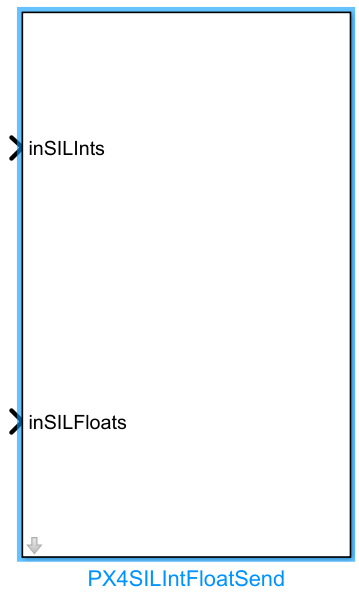
This module is a custom interface module in the RflySim toolchain for SIL (Software-in-the-Loop) simulation development, enabling users to pass custom data to the PX4 flight controller's SIL simulation DLL. It packages the input 8-dimensional custom integer array and 16-dimensional custom floating-point array, adds a checksum and drone ID according to the PX4SILIntFloat protocol format, and transmits the packet via a specified UDP port. The port number follows the rule 30100+(copterID-1)*2, supporting multi-vehicle simulation scenarios.
This module is primarily used in custom data interaction scenarios during PX4 SIL simulation development. Users can send custom configurations, reference commands, and additional sensor data generated in Simulink to the PX4 SIL simulation DLL running in CopterSim. Combined with the corresponding receiving-end custom interface, it enables customized simulation functionality development, supporting both single-vehicle and multi-vehicle SIL simulation data exchange requirements.
Port Descriptions
Input Ports
| Port Name | Data Type | Dimension | Description |
|---|---|---|---|
inSILInts |
int32/double |
1×8 |
User-defined integer data, supporting up to 8 elements |
inSILFloats |
double |
1×20 |
User-defined floating-point data, supporting up to 20 elements |
Output Ports
This module has no output ports.
Parameter Configuration
The following parameters can be configured in the Mask dialog box opened by double-clicking the module:
| Parameter Name | Type | Default Value | Available Values/Range | Description |
|---|---|---|---|---|
Target IP Address |
string |
127.0.0.1 |
Any valid IPv4 address | IP address of the host where the target CopterSim process is running |
CopterID |
int |
1 |
1~255 |
ID number of the target drone, used to determine the UDP communication port |
Parameter Setting Notes
Target IP Address
Specifies the IP address of the host where the target CopterSim receiving custom data resides. If CopterSim and the Simulink simulation run on the same host, the default value 127.0.0.1 can be used.
CopterID
The sequential number of the target drone, starting from 1. The module automatically calculates the target UDP port number as 30100+(CopterID-1)*2 to communicate with the SIL interface of the corresponding drone ID. When a CopterID greater than 0 is provided at the input port, the module prioritizes using the input value; otherwise, it uses the value configured in this parameter.
Block Characteristics
| Characteristic | Value |
|---|---|
| Supported Data Types | double, single, int32, int |
| Direct Feedthrough | Yes |
| Sample Time | Inherited |
| Code Generation Support | No |
Data Communication Protocol
This module sends data via UDP, following these rules:
- Port Rule: The target UDP port number is
30100 + (CopterID - 1) * 2, whereCopterIDstarts from 1 and represents the target drone's sequential number. - Data Format: Data is packed in
10i20fformat, i.e., 10 32-bit integers + 20 single-precision floats. The specific structure definition is:
struct PX4SILIntFloat{
 int checksum;         // Fixed value: 1234567897
 int CopterID;         // Target drone sequential number; uses input value if > 0, otherwise uses the module parameter value
 int inSILInts[8];     // 8-dimensional custom integer data
 float inSILFLoats[20];// 20-dimensional custom single-precision floating-point data
};
- Target Address: The IP address of the target CopterSim is configured via module parameters.
Related Modules
| Module Name | Description |
|---|---|
PX4SILIntFloatReceive |
Receives custom integer and floating-point SIL interface data from CopterSim |
PX4SILActuatorSend |
Sends actuator control signals to the SIL interface of CopterSim |
PX4SILSensorReceive |
Receives sensor simulation data from CopterSim |
PX4OffboardControl |
Sends control commands for PX4 offboard mode |
Usage Example
For related usage examples, refer to the following path:
[RflySim Installation Path]/RflySimAPIs/4.RflySimModel/0.ApiExps/11.inSILAPI/1.InSILIntsFloats/2.InSILIntsFloats_sim/Readme.pdf
Please refer to
Readme.pdfin the path above for complete example descriptions and operational steps.
Notes and Common Issues
- Initialization Order: CopterSim must be started first, and the PX4 SIL simulation environment must be fully initialized before running the Simulink simulation; otherwise, UDP data cannot be properly sent to the target interface.
- Dimension Matching Requirement: The input
inSILIntsmust be a fixed 8-element integer array, andinSILFloatsmust be a fixed 20-element floating-point array. The module automatically truncates or pads inputs with mismatched lengths, which may cause abnormal data transmission—please strictly match the input dimensions. - Port Number Rule: The UDP port number used by the module follows the formula
30100+(CopterID-1)*2. Ensure this port is not blocked by the local firewall or occupied by other processes, and verify that the target drone's ID in CopterSim matches theCopterIDconfigured in the module parameters; otherwise, data reception will fail. - CopterID Priority: If a CopterID greater than 0 is provided in the input data, the module will prioritize using this input CopterID to override the one configured in the module parameters, and will automatically adjust the target UDP port number accordingly—please take note of this behavior during usage.
- IP Address Configuration: When CopterSim and Simulink run on the same machine,
Target IP Addresscan remain at the default127.0.0.1; if they run on different hosts, enter the actual LAN IP address of the machine where CopterSim resides. - Checksum Rule: The module automatically generates a fixed checksum
1234567897as required; users need not manually modify the checksum field in the input data, as doing so would cause checksum verification failure on the CopterSim side, resulting in discarded received data.
Changelog
v4.20(2024-08-21): Initial release, implementing UDP data packaging and transmission to theinSILIntsandinSILFloatsinterfaces of the DLL model in CopterSim.