RflyUdpRaw Module Documentation
Toolbox: RflySim Swarm
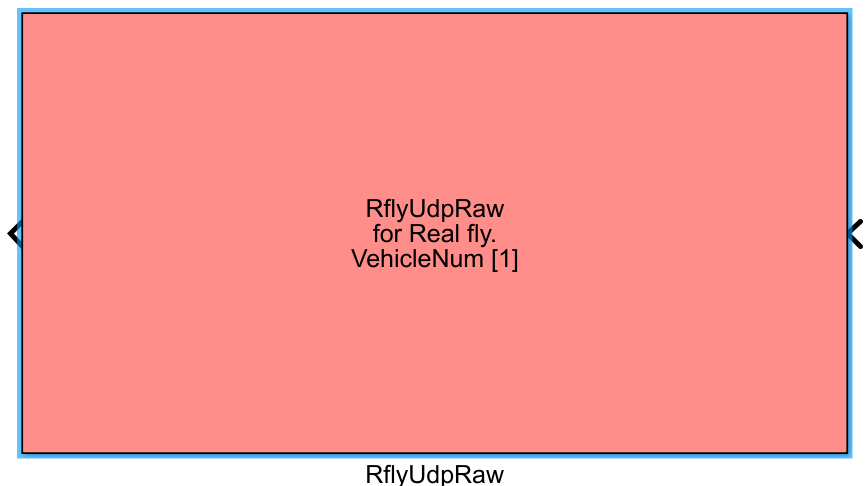
Introduction
One-sentence Description: Implements MAVLink data transmission and reception for multiple UAVs based on the UDP protocol, supporting both multi-vehicle simulation networking and real-vehicle swarm control.
This module serves as the core communication interface within the RflySim Swarm cluster toolchain, enabling simultaneous control command delivery and state data acquisition for multiple UAVs specified by an ID list. It is suitable for multi-vehicle simulation scenarios within the RflySim platform as well as for algorithm validation on external real UAV clusters.
When real-flight mode is disabled, the module communicates via UDP with multiple CopterSim simulation processes running on the local or remote host, following RflySim's default IP and port rules, and collaborates with RflySim3D to achieve visualization of multi-UAV swarm simulations. When real-flight mode is enabled, users can customize the base IP and base port rules; the module establishes UDP connections with multiple real PX4 UAVs on the local network according to predefined increment rules, directly deploying Simulink-designed swarm algorithms onto actual hardware platforms.
Port Descriptions
Input Ports (Inputs)
| Port Name | Data Type | Dimension | 1×(10×N) |
Input contains control command data for N UAVs; N is determined by the UAV count specified in parameters, with each UAV corresponding to a 10-dimensional control signal |
|---|---|---|---|---|
Output Ports (Outputs)
| Port Name | Data Type | Dimension | 1×(36×N) |
Output contains state feedback data for N UAVs; N is determined by the UAV count specified in parameters, with each UAV corresponding to a 36-dimensional state vector |
|---|---|---|---|---|
Parameter Configuration (Parameters)
The following parameters can be configured in the Mask dialog box opened by double-clicking the module:
| Parameter Name | Type | Default Value | Optional Values / Range | Description |
|---|---|---|---|---|
Vehicle number or CopterID list |
vector |
[1 2] |
Any vector of positive integers | Specifies the list of UAV IDs managed by this module; the vector length equals the number of UAVs managed |
Sample Time |
double |
0.01 |
>0 |
Module sampling time in seconds |
Enable real flight (RealflyMode) |
bool |
false |
true/false |
Whether to enable real-flight communication mode |
Target IP Address |
string |
127.0.0.1 |
Valid IPv4 address string | In non-real-flight mode, the IP address of the host where the target CopterSim resides |
Base IP Address |
string |
192.168.151.101 |
Valid IPv4 address string | In real-flight mode, the base IP address of the first UAV |
Base Udp Port |
int |
15501 |
1024~65535 |
In real-flight mode, the base UDP port number of the first UAV |
Parameter Setting Notes
Vehicle number or CopterID list
This parameter specifies the list of UAV IDs managed by the module; the vector length equals the total number of UAVs managed by the current module, and each element corresponds to the CopterID of a UAV. For example, inputting [1:5] is equivalent to [1 2 3 4 5], indicating management of five UAVs with IDs 1 through 5; inputting [1 3 5 6] indicates management of four UAVs with IDs 1, 3, 5, and 6.
RealflyMode
- Unselected (Non-real-flight mode: default for simulation environment control): Uses a unified
Target IP Address; UDP ports for all UAVs follow a base-port increment rule: UAV #1 uses port 15501, and each increment in ID increases the port by 2. - Selected (Real-flight mode: controls real UAVs): Follows base IP and base port increment rules: the IP address of UAV #N is
base IP last octet + (N-1), and the port isbase port + (N-1). For example, with base IP192.168.151.101and base port15501, UAV #5 has IP192.168.151.105and port15505. All UAVs must be pre-configured with static IPs and fixed port rules.
Sample Time
This parameter corresponds to the Simulink model's sampling step size; the default value of 10 ms suits most UAV control scenarios.
Module Characteristics (Block Characteristics)
| Characteristic | Value |
|---|---|
| Supported Data Types | double, single |
| Direct Feedthrough | Yes |
| Sample Time | Discrete |
| Code Generation Support | No |
Data Communication Protocol
This module transmits MAVLink data over UDP, with IP and port rules differing between two modes:
Non-Real-Flight Mode (RealflyMode unchecked)
- Default target IP address is
127.0.0.1, customizable to the IP of the host where the target CopterSim resides - Port rules follow a base-port increment scheme: each UAV's port number increases by 2 relative to the previous UAV
Real-Flight Mode (RealflyMode checked)
- IP Rule: All UAVs are configured with static IPs following a base IP increment scheme: the IP address of UAV #N is
base IP last octet + (N-1). For example, with base IP192.168.151.101, UAV #1 uses192.168.151.101, and UAV #5 uses192.168.151.105. - Port Rule: All UAVs are configured with fixed ports following a base port increment scheme: the MAVLink communication port of UAV #N is
base port + (N-1). For example, with base port15501, UAV #1 uses port15501, and UAV #5 uses port15505. - Transmission Content: Inputs consist of control signals for multiple UAVs; outputs consist of state feedback data for multiple UAVs, all encapsulated in MAVLink format for transmission.
Related Modules
| Module Name | Description |
|---|---|
RflySwarmJoystick |
Generates joystick control signals for swarm models across multiple UAVs |
RflySwarmWaypoint |
Implements waypoint-based path planning for multiple UAVs |
RflyUdpOffboardRaw |
Multi-UAV raw offline control communication module, compatible with the interface specification of RflyUdpRaw |
Usage Examples
For usage examples, refer to the following path:
Please refer to
Readme.pdfin the path above for complete example descriptions and operational steps.
Notes and Common Issues
- Initialization Order: During the simulation startup phase, the module initializes UDP communication sockets based on the configured CopterID list, IP addresses, and port rules. Ensure that the corresponding real drones or CopterSim processes have already been started and network configurations completed before launching the Simulink simulation; otherwise, communication connection failures and data packet loss may occur.
- Sample Time Matching: The
Sample Timeconfigured for the module must match the base sample time of your Simulink model. For real-drone communication, it is recommended to set this value to no less than 2 ms to prevent UDP buffer overflow and abnormal data reception. - Real-Drone Mode IP Rules: When
RealflyModeis enabled, all drones must be preconfigured with static IPs that follow the rule: the last octet increments by 1 from a base IP. If the IP format does not conform to this rule, the module will fail to correctly parse the target IP, resulting in complete communication failure. - Real-Drone Mode Port Rules: When
RealflyModeis enabled, all drones' MAVLink transmission ports must follow the rule: incrementing by 1 from a base port. Additionally, local network access permissions for the corresponding ports must be granted, and firewalls should be disabled or port-allowing rules added; otherwise, drone data cannot be received. - Cross-Machine Communication Configuration: When controlling CopterSim running on another computer in non-real-drone mode, the actual local IP address of the target computer must be specified, and both computers must reside in the same subnet. The target computer's firewall should be disabled or UDP port-allowing rules added; otherwise, communication cannot be established.
- CopterID Conflicts: In the same simulation project, multiple
RflyUdpRawmodules cannot be configured with duplicate CopterIDs; otherwise, port conflicts will occur, leading to communication anomalies. - Input/Output Dimension Matching: The dimensions of the input control signals and output state ports must match the length of the configured CopterID list. Each CopterID corresponds to one set of input control signals and one set of output state data. Dimension mismatches will cause simulation errors.
Changelog
v4.0(2024-05-03): Initial version release, supporting multi-UAV MAVLink data transmission and reception over UDP, with support for both simulation mode and real-flight mode communication rule configuration.