uORB Read Function-Call Trigger Module Documentation
Toolbox: uORB Read and Write
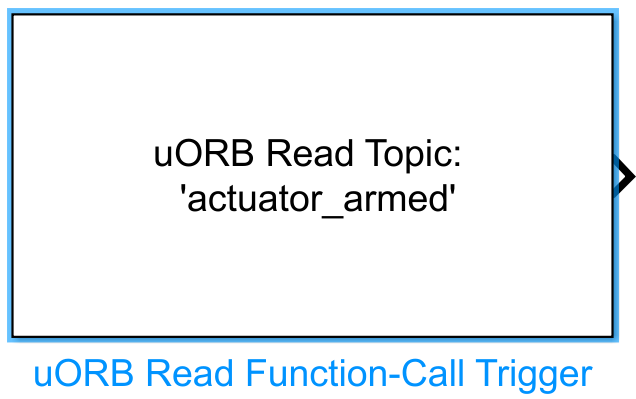
Introduction
One-Sentence Description: Supports both periodic polling subscription and asynchronous function-callback triggering modes to read PX4 uORB topic messages, and triggers execution of Simulink Function-Call subsystems upon receiving new data on a topic.
This module is the core read component for interfacing with PX4's native uORB communication mechanism within the RflySim toolchain. It belongs to the uORB Read and Write interface library and enables interaction between custom Simulink control algorithms and PX4 flight controller internal messages in the RflySim UAV simulation chain. It supports both non-asynchronous mode—periodically polling and reading specified uORB topic messages at a configured interval, directly outputting bus-formatted data—and asynchronous triggering mode—where an independent thread is spawned to listen for uORB topics, outputting a Function-Call trigger signal upon receiving new data, requiring coordination with the uORB Read Async module to complete message reading.
Running within the RflySim/Simulink simulation environment, this module interfaces with the PX4 flight controller's uORB communication. Combined with CopterSim, it enables flight controller simulation; combined with RflySim3D, it provides 3D visualization of the simulation environment, supporting users in developing customized PX4 flight control algorithms. The module supports only non-C++ object-type uORB topics and can automatically map uORB message formats to Simulink bus objects via its configuration interface, accommodating diverse scenarios such as sensor data and flight controller state reading in flight control development.
Port Descriptions
Input Ports (Inputs)
This module has no input ports.
Output Ports (Outputs)
| Port Name | Data Type | Dimension | Description |
|---|---|---|---|
Function-Call |
double |
Scalar | Triggers execution of function-call subsystems [To be confirmed] |
uORB Data |
Bus | Variable | Message data corresponding to the uORB topic; output format is the generated bus object |
Parameter Configuration (Parameters)
The following parameters can be configured in the Mask dialog box opened by double-clicking the module:
| Parameter Name | Type | Default Value | Available Values / Range | Description |
|---|---|---|---|---|
uORB Topic |
string |
"" |
Defined non-C++ object uORB topics | Specifies the name of the uORB topic to subscribe to |
Bus Object |
Bus |
None | Bus object already generated in MATLAB workspace | Bus object associated with the uORB topic, defining message structure and data types |
uORB Interval (ms) |
int |
10 |
>0, not exceeding the topic's maximum update rate | Polling interval for uORB topic reading in non-asynchronous mode, in milliseconds |
Sample time (s) |
double |
0.01 |
>0 | Module sample time in non-asynchronous mode, in seconds |
Enable Function-Call Trigger |
bool |
false |
true / false |
Whether to enable asynchronous function-call triggering mode |
Polling Timeout (ms) |
int |
-1 |
≥ -1 | Polling timeout in asynchronous mode, in milliseconds: -1 indicates indefinite blocking until a new message arrives; >0 indicates forced triggering after timeout |
Task Name |
string |
Task1 |
Non-empty string | Task name for the spawned thread in asynchronous mode |
Parameter Setting Notes
uORB Topic
Click the Select uORB Topic msg button to open a topic list and select the target topic (only non-C++ object-type topics are supported); click Open .msg file to open the source message definition file for the selected topic.
Bus Object
Click the Create Bus Object button: the module automatically reads the corresponding .msg file from the uORB message definition folder, parses it, and generates a bus object of the corresponding structure in the MATLAB workspace for receiving uORB message data. After generation, the created bus object must be selected in this parameter.
Enable Function-Call Trigger
When checked, asynchronous function-call triggering mode is enabled. In this mode, the Sample time (s) parameter is hidden, and Polling Timeout (ms) and Task Name configuration items are displayed instead. In asynchronous mode, an independent thread is spawned to poll and wait for new topic data; upon data update, a function-call signal is output to trigger subsystem execution, requiring coordination with the uORB Read Async module to read topic data.
Polling Timeout (ms)
Effective only in asynchronous mode:
- Set to -1: the thread blocks indefinitely until a new message arrives, consuming no extra computational resources.
- Set to a value greater than 0: the function-call is forcibly triggered even if no new message arrives within the specified time.
- Prohibited: setting to 0, as this would cause the flight control thread to run at an unblocked high frequency, potentially leading to flight controller lockup.
Module Characteristics (Block Characteristics)
| Characteristic | Value |
|---|---|
| Supported Data Types | double, single, uint8, uint16, uint32, int8, int16, int32, boolean |
| Direct Feedthrough | No |
| Sample Time | Discrete / Inherited |
| Code Generation Support | Yes |
Data Communication Protocol
This module communicates with the PX4 flight controller internally via the uORB inter-process bus, with no external network communication ports. Data format corresponds to the native message structure defined by the respective uORB topic's .msg file, output in the form of Simulink bus objects.
Related Modules
| Module Name | Description |
|---|---|
uORB Read Async |
Reads asynchronous uORB topic message data triggered by this module |
uORB Write |
Publishes message data to a specified uORB topic |
uORB Read |
Synchronous polling-mode uORB topic reading module |
Usage Example
For related usage examples, refer to the following path:
Please refer to
Readme.pdfin the path above for complete example descriptions and operational steps.
Notes and Common Issues
- Initialization Order: uORB topic selection must be completed first before clicking
Create Bus Objectto generate the bus object; if the selected uORB topic is modified, the bus object must be regenerated, otherwise data type mismatch errors will occur. When enabling asynchronous Function-Call triggering mode, it must be used in conjunction with theuORB Read Asyncmodule to read topic data; this module is solely responsible for triggering logic and does not output complete message data. - Sample Time Matching: In non-asynchronous mode, the configured
uORB Interval (ms)must not exceed the maximum data update rate of the selected topic; otherwise, the latest topic messages cannot be retrieved. The module's sample time in non-asynchronous mode must match the base sample time of the overall model to prevent data update synchronization issues. - Asynchronous Mode Configuration Restrictions: In asynchronous mode,
Polling Timeoutmust not be set to0, as this configuration would cause the task to trigger indefinitely, ultimately leading to flight controller process deadlock. For non-blocking polling, set a reasonable positive timeout value according to actual requirements; for blocking wait until a new message arrives, set the timeout to-1. The independent task derived from asynchronous mode must be assigned a unique and valid task name, which must not duplicate any other asynchronous uORB task names within the model, otherwise task registration will fail. - Topic Type Restrictions: This module only supports uORB topics that are not C++ object types. Topics containing custom C++ objects must not be selected, otherwise bus object generation or simulation runtime errors may occur.
- Workspace Requirements: The generated bus object is saved in the MATLAB base workspace. Before simulation execution, do not manually delete the corresponding bus object, otherwise module compilation errors will occur.
Changelog
v4.10(2024-08-08): Added Function-Call triggering functionality for asynchronous uORB message reading, supporting both synchronous uORB topic subscription and asynchronous triggered subscription modes.