PosVelAttAll Module Documentation
Toolbox: RflySim APIs
Introduction
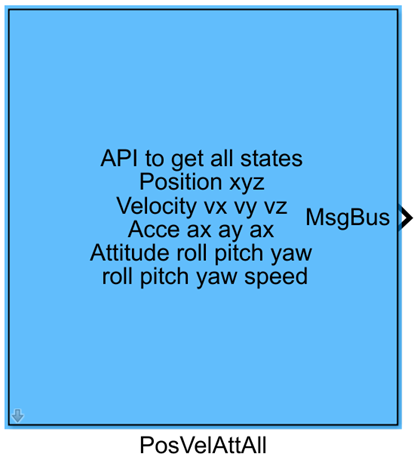
One-sentence Description: This module subscribes to uORB messages from PX4 to obtain the vehicle's full-state motion information—including position, velocity, attitude, angular acceleration, and angular velocity—that has been filtered by PX4.
This module belongs to the RflySim APIs interface library and serves as a foundational component within the RflySim toolchain for retrieving vehicle state data from PX4. Typical applications include custom flight control algorithm development, state observation algorithm validation, and state data logging and analysis.
The module automatically subscribes to three uORB topics in the PX4 firmware: vehicle_local_position, vehicle_attitude, and vehicle_angular_velocity. It extracts the full motion state estimated by PX4's internal filter and outputs processed data—including acceleration, timestamp, attitude quaternion, Euler angles, and body-frame angular velocity—via the MsgBus bus. This data can be directly interfaced with custom control algorithm blocks in Simulink, providing reliable PX4-side state inputs for joint PX4 simulations based on CopterSim and visual simulations integrated with RflySim3D.
Port Descriptions
Input Ports (Inputs)
This module has no input ports.
Output Ports (Outputs)
| Port Name | Data Type | Dimension | Description |
|---|---|---|---|
MsgBus |
double |
1×21 |
Outputs all filtered motion states of the vehicle from PX4, arranged in protocol order: NED-frame triaxial acceleration ax, ay, az (3 elements), system timestamp timestamp (1 element), rotation quaternion q from FRD body frame to NED earth frame (4 elements), roll/pitch/yaw angles Roll, Pitch, Yaw (3 elements), and FRD-frame triaxial angular velocity xyz (3 elements), totaling 21 elements. Units: m/s², μs, dimensionless, rad, rad/s |
Parameter Configuration (Parameters)
The Mask dialog box, opened by double-clicking the module, allows configuration of the following parameters:
| Parameter Name | Type | Default Value | Available Values/Range | Description |
|---|---|---|---|---|
Sample Time(s) |
double |
0.01 |
>0 |
Module sampling time, in seconds |
Parameter Setting Description
Sample Time(s)
This parameter controls the sampling frequency for reading module state data and must match the overall simulation step size of the Simulink model. The default value is sufficient for standard simulations; to obtain higher-frequency state data, reduce this parameter as needed.
Module Characteristics (Block Characteristics)
| Characteristic | Value |
|---|---|
| Supported Data Types | double, single, float32 |
| Direct Feedthrough | No |
| Sample Time | Discrete |
| Code Generation Support | No |
Data Communication Protocol
This module subscribes to PX4 flight controller's filtered state messages via the uORB message bus. The MsgBus output data protocol format is as follows:
| Field | Data Type | Description |
|---|---|---|
ax |
float32 |
North-direction acceleration in the NED earth-fixed frame, unit: m/s² |
ay |
float32 |
East-direction acceleration in the NED earth-fixed frame, unit: m/s² |
az |
float32 |
Down-direction acceleration in the NED earth-fixed frame, unit: m/s² |
timestamp |
uint64 |
System uptime since startup, unit: microseconds |
q[4] |
float32[4] |
Rotation quaternion from FRD body frame to NED earth frame |
Roll |
float32 |
Roll angle in FRD frame, derived from quaternion, unit: rad |
Pitch |
float32 |
Pitch angle in FRD frame, derived from quaternion, unit: rad |
Yaw |
float32 |
Yaw angle in FRD frame, derived from quaternion, unit: rad |
xyz[3] |
float32[3] |
Triaxial angular velocity in FRD frame after bias correction, unit: rad/s |
Related Modules
| Module Name | Description |
|---|---|
PosVelAtt |
Module for retrieving basic position, velocity, and attitude states of the vehicle |
GetMAVLinkData |
Module for retrieving various vehicle state data via MAVLink protocol |
VehicleStatusGet |
Module for retrieving core status information from the PX4 flight controller |
Usage Example
Refer to the following path for related usage examples:
Please refer to
Readme.pdfin the above path for complete example descriptions and operational steps.
Notes and Common Issues
- Initialization Sequence: This module relies on PX4's uORB message communication mechanism. During simulation startup, the module can only output valid state data after PX4 completes initialization and registers the corresponding message topics. Outputs during the initial few sampling steps may be zero, which is normal.
- Coordinate System Clarification: The position and acceleration outputs are in the NED earth-fixed frame, while attitude angles and angular velocity are in the FRD body frame. When developing control algorithms using this data, ensure proper coordinate frame transformations to avoid logic errors due to frame mismatches.
- Sample Time Matching: The PX4 state data output by this module is filtered; it is recommended to set the module's sample time to match PX4's internal state estimation period (default: 250 Hz, i.e., 0.004 s) to avoid retrieving duplicate or outdated state data due to mismatched sampling frequencies.
- Data Validity Check: Before takeoff (e.g., during armed but non-flying states), some state fields may have anomalous initial values. It is recommended to include range checks on attitude and velocity outputs in your control logic to prevent algorithm misbehavior triggered by invalid data.
- Field Extension Note: For additional uORB fields not output by this module, refer to the official PX4 message definitions. The complete field definitions for
vehicle_local_position,vehicle_attitude, andvehicle_angular_velocitycan be found in theFirmware\msgfolder under the RflySim installation directory.
Changelog
v4.20(2024-08-07): Initial release. Implements acquisition of full vehicle state—including position, velocity, attitude, and acceleration—by subscribing to three filtered uORB messages:vehicle_local_position,vehicle_attitude, andvehicle_angular_velocity.