LoadFault Module Documentation
Toolbox: RflySim PHM
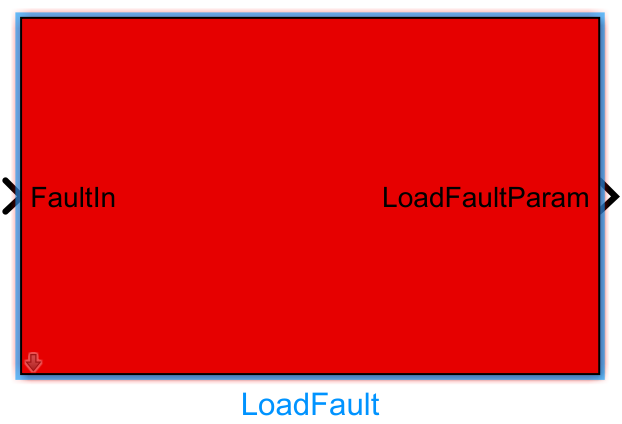
Introduction
One-sentence description: This module enables modeling of three common types of payload faults on UAVs, computing changes in total UAV mass, inertia moments, and moments caused by faults, providing fault model inputs for UAV fault diagnosis and Prognostics and Health Management (PHM) simulation.
This module is the core component of the RflySim PHM interface library specifically designed for UAV payload fault simulation. It supports configuration and computation of three typical payload fault types: payload drop, payload drift, and payload leak. It automatically extracts corresponding fault parameters based on externally injected fault commands and updates the UAV rigid-body dynamics parameters under fault conditions.
Typically used in conjunction with the CopterSim rigid-body six-degree-of-freedom (6-DOF) simulation module in the RflySim toolchain, this module outputs the computed fault dynamics parameters to the dynamics model, enabling UAV flight simulation with payload faults. It can also integrate with RflySim3D for 3D visualization under fault conditions, and interface with PX4 flight controllers to conduct hardware-in-the-loop (HIL) fault simulation tests. It serves as a foundational module for UAV payload fault diagnosis and fault-tolerant control algorithm validation.
Port Descriptions
Input Ports
| Port Name | Data Type | Dimension | Description |
|---|---|---|---|
6DOF Bus1 |
Bus |
- | Encapsulates output signals from a simplified environment model and a rigid-body 6-DOF model [to be confirmed] |
ModelParam.uavMass |
double |
1×1 |
Total UAV mass |
ModelParam.uavR |
double |
1×1 |
Specific reference radius/distance of the UAV, used to compute offset of moving mass |
FaultIn |
Bus |
- | Fault input, containing fault type and corresponding fault parameters |
Output Ports
| Port Name | Data Type | Dimension | Description |
|---|---|---|---|
Fail Model Bus1 |
Bus |
- | Encapsulates output signals uavMass, uavJ, deltaM, and uavR after fault computation |
Parameter Configuration
The following parameters can be configured in the Mask dialog box opened by double-clicking the module:
| Parameter Name | Type | Default Value | Available Values/Range | Description |
|---|---|---|---|---|
uavMass |
double |
1.0 |
(0, +∞) |
Initial total UAV mass |
uavR |
double |
0.1 |
(0, +∞) |
UAV reference radius/distance, used to compute offset of moving mass |
isLoadFall |
bool |
false |
true/false |
Flag indicating whether a payload drop fault occurs |
LoadFallParams |
double array |
[0] |
- | Parameter array for payload drop fault |
isLoadShift |
bool |
false |
true/false |
Flag indicating whether a payload drift fault occurs |
LoadShiftParams |
double array |
[0, 0, 0, 0] |
- | Parameter array for payload drift fault |
isLoadLeak |
bool |
false |
true/false |
Flag indicating whether a payload leak fault occurs |
LoadLeakParams |
double array |
[0, 0] |
- | Parameter array for payload leak fault |
dcm |
double |
eye(3) |
3×3 orthogonal matrix | Direction cosine matrix, used to transform forces generated by payload movement into the UAV body-fixed frame |
uavlostJ |
double matrix |
zeros(3,3) |
3×3 matrix | Inertia moment matrix lost by the UAV due to payload fault |
Parameter Setting Notes
isLoadFall/isLoadShift/isLoadLeak
These three boolean parameters enable the corresponding payload fault types manually. If external FaultIn port injection is used, set the corresponding parameters to false, allowing external fault injection signals to control fault triggering.
Fault Parameter Descriptions
LoadFallParams: The payload drop fault requires only one parameter—the proportion of dropped payload mass to total mass (range:0to1).LoadShiftParams: The payload drift fault requires four parameters in order: proportion of drifted payload mass to total mass, x-axis drift factor, y-axis drift factor, z-axis drift factor.LoadLeakParams: The payload leak fault requires two parameters in order: maximum leaked mass proportion to total mass, leak rate factor.
Module Characteristics
| Characteristic | Value |
|---|---|
| Supported Data Types | double, single, boolean |
| Direct Feedthrough | Yes |
| Sample Time | Inherited |
| Code Generation Support | No |
Data Communication Protocol
This module does not involve network communication.
Related Modules
| Module Name | Description |
|---|---|
FaultParamsExtract |
Extracts fault type and corresponding fault parameters from input fault information |
PropellerFault |
Propeller fault injection and fault model computation module, part of the RflySim PHM interface library |
BatteryFault |
Battery fault injection and fault model computation module, part of the RflySim PHM interface library |
IMUFault |
IMU sensor fault injection and fault model computation module, part of the RflySim PHM interface library |
Notes and Common Issues
- Initialization Order: This module relies on the 6DOF Bus signal output by the six-degree-of-freedom model; therefore, the six-degree-of-freedom model module must be initialized before the LoadFault module. Otherwise, bus signal parsing errors will occur, preventing accurate calculation of mass and inertia moment changes after the fault.
- Fault ID Matching: The injected fault signal input must strictly match the fault IDs predefined by the module:
123452corresponds to load drop fault,123456to load drift fault, and123457to load leak fault. If the ID does not match, the module cannot recognize the injected fault and will retain either the no-fault state or the fault state from the previous time step. - Parameter Dimension Requirements: The dimensions of parameter arrays must conform to the specific fault type:
- Load drop fault: 1D (weight change ratio),
- Load drift fault: 4D (weight change ratio + drift factors in x, y, and z directions),
- Load leak fault: 2D (initial weight leak ratio + leak rate factor).
Incorrect dimensions will lead to erroneous simulation calculations. - Sampling Time Matching: The module’s output fault parameters remain unchanged at their previous state until a new fault injection occurs. Therefore, the module’s sampling time must match the sampling time of the six-degree-of-freedom flight control simulation; otherwise, fault state updates may be delayed or erroneous.
- Inertia Moment Matrix Format: The input lost inertia moment
uavlostJmust be a 3×3 matrix, and the output torque changedeltaMmust be a 3×1 vector. Format mismatches will trigger Simulink signal dimension mismatch errors. - Simultaneous Multi-Fault Triggering: The module supports triggering multiple load faults concurrently (by simultaneously setting
isLoadFall,isLoadShift, andisLoadLeakto true), in which case it superimposes the effects of different faults on mass and inertia moments. If only a single fault is to be triggered, the enable boolean values for the other faults must be set to false.
Changelog
v4.1.0(2024-07-24): Initial release of the LoadFault module, supporting fault parameter extraction and fault impact calculation for three types of load faults: LoadFall, LoadShift, and LoadLeak.