UDP_30100_TrueSimRecv Module Documentation
Toolbox: RflySim Model
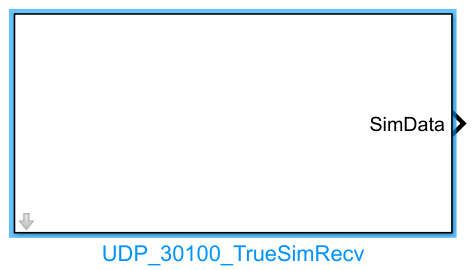
Introduction
One-sentence Description: Receives and parses complete state ground-truth data from vehicle model simulations by listening on UDP ports in the series 30101 + 2 * n.
This module belongs to the RflySim Model interface library and serves as the core communication module in the RflySim toolchain for acquiring high-precision simulation ground-truth states. It is primarily used in development scenarios requiring access to the actual simulated vehicle state—such as external control and algorithm validation. Based on the configured aircraft ID, the module listens on the corresponding UDP port, receives encapsulated data packets sent from external vehicle models or simulation environments, and parses them to output a full set of vehicle state ground-truth data, including position, velocity, attitude, acceleration, angular velocity, GPS information, actuator status, and more.
This module is typically used in conjunction with CopterSim and RflySim3D: when users build custom vehicle models or external control algorithms in Simulink, this module receives the true vehicle state data from the TrueSim simulation environment, parses it, and makes it directly available to algorithm modules within Simulink, enabling closed-loop simulation. It also supports multi-vehicle simulation scenarios by distinguishing vehicle state data via aircraft ID.
Port Descriptions
Input Ports (Inputs)
This module has no input ports.
Output Ports (Outputs)
| Port Name | Data Type | Dimension | Description |
|---|---|---|---|
checksum |
double |
1×1 |
Data checksum; valid value is 123456789, used to indicate data validity |
copterID |
double |
1×1 |
Aircraft ID number corresponding to the output data |
vehicleType |
double |
1×1 |
Vehicle type ID, corresponding to the ClassID in the RflySim3D UE scene XML |
reserv |
double |
1×1 |
Reserved flag bit, reserved for indicating features such as collision or large map |
VelE |
double |
1×3 |
Vehicle velocity in the North-East-Down (NED) coordinate frame, unit: m/s |
AngEuler |
double |
1×3 |
Roll, pitch, and yaw Euler angles, unit: radians |
AngQuatern |
double |
1×4 |
Attitude quaternion vector, order: w x y z |
MotorRPMS |
double |
1×8 |
Actuator status; for rotorcraft, corresponds to motor RPM, unit: RPM |
AccB |
double |
1×3 |
Vehicle acceleration in the Body FRD (Front-Right-Down) coordinate frame, unit: m/s² |
RateB |
double |
1×3 |
Vehicle angular velocity (p/q/r) in the Body FRD coordinate frame, unit: rad/s |
runnedTime |
double |
1×1 |
Simulation timestamp; starts at 0 at simulation initialization, unit: seconds |
PosE |
double |
1×3 |
Vehicle position in the North-East-Down (NED) coordinate frame, unit: meters; z-axis positive downward |
PosGPS |
double |
1×3 |
Vehicle GPS coordinates, order: latitude (degrees), longitude (degrees), altitude (meters); altitude positive upward |
Parameter Configuration
The Mask dialog box, opened by double-clicking the module, allows configuration of the following parameters:
| Parameter Name | Type | Default Value | Available Values/Range | Description |
|---|---|---|---|---|
CopterID |
int |
1 |
1~255 |
Target vehicle ID whose data is to be listened to and read |
Sample Time (s) |
double |
0.01 |
>0 |
Module sampling time, unit: seconds |
Parameter Setting Description
CopterID
The ID number of the target vehicle. The module automatically listens on the corresponding UDP port 30101 + 2 * (CopterID - 1) and reads only the simulation ground-truth data matching the specified ID.
Sample Time (s)
The sampling interval for UDP data retrieval by the module. It should be set to match the simulation step size and data transmission frequency. For typical multirotor simulations, the default value of 0.01 seconds is sufficient.
Module Characteristics (Block Characteristics)
| Characteristic | Value |
|---|---|
| Supported Data Types | double, single, int32 |
| Direct Feedthrough | No |
| Sample Time | Discrete |
| Code Generation Support | No |
Data Communication Protocol
This module communicates via UDP. For a specified aircraft ID, the local UDP port to listen on is 30101 + 2 * CopterID.
The received data packet format is an encapsulated netDataShort structure, defined as follows:
typedef struct _netDataShort {
    uint32_t tg;          // Target port identifier
    int len;              // Total length of the transmitted structure, fixed at 200 bytes
    char payload[192];    // Payload; the first 152 bytes contain SOut2Simulator structure data, remaining 40 bytes reserved
}netDataShort;
The payload structure format for SOut2Simulator simulation ground truth is as follows:
| Field | Type | Quantity | Description |
|---|---|---|---|
| checksum | int | 1 | Valid data checksum, fixed value: 123456789 |
| copterID | int | 1 | Aircraft ID number |
| vehicleType | int | 1 | Vehicle type ID, corresponding to the ClassID in the RflySim3D UE scene XML |
| reserv | int | 1 | Reserved flag bit, reserved for collision and large-map identification |
| VelE | float | 3 | Velocity in the North-East-Down (NED) coordinate system, unit: m/s |
| AngEuler | float | 3 | Roll/Pitch/Yaw Euler angles, unit: rad |
| AngQuatern | float | 4 | Attitude quaternion, order: w x y z |
| MotorRPMS | float | 8 | Actuator status: rotor speed for rotorcrafts, unit: RPM |
| AccB | float | 3 | Acceleration in the Body FRD (Front-Right-Down) coordinate system, unit: m/s² |
| RateB | float | 3 | Angular rate (p, q, r) in the Body FRD coordinate system, unit: rad/s |
| runnedTime | double | 1 | Timestamp: starts at 0 at simulation initialization, unit: s |
| PosE | double | 3 | Position in the NED coordinate system, Z-axis positive downward, unit: m |
| PosGPS | double | 3 | Latitude/Longitude/Altitude: latitude and longitude in degrees, altitude in meters (positive upward) |
The full data decoding format is 4i 24f 7d, with a total data length of 168 bytes.
Related Modules
| Module Name | Description |
|---|---|
UDP_30100_ExtCtrlSend |
Sends external control commands externally, corresponding to UDP port series 30100 |
MAVLinkRecv |
Receives UAV state data in MAVLink protocol format |
MAVLinkSend |
Sends control command data in MAVLink protocol format |
Usage Example
For related usage examples, please refer to the following path:
[RflySim Installation Path]/RflySimAPIs/4.RflySimModel/0.ApiExps/3.ExtCtrlAPI/2.ExtCtrlAPI-UDP30100/Readme.pdf
Please refer to
Readme.pdfin the above path for complete example descriptions and operational steps.
Notes and Common Issues
- Initialization Sequence: This module relies on the RflySim3D visualization engine to send UDP ground truth data. The RflySim3D simulation environment must be started first, and vehicle model initialization must be completed before launching the Simulink simulation; otherwise, the module may continuously fail to receive valid data.
- CopterID Matching: The module automatically listens on the port corresponding to the configured
CopterID(port = 30101 + 2 * (CopterID - 1)). TheCopterIDmust match the target vehicle ID sending simulation ground truth in RflySim3D; otherwise, ground truth data for the corresponding vehicle cannot be received. - Coordinate System and Units: In the output ground truth,
PosEuses the NED coordinate system with Z-axis positive downward;PosGPSuses degrees for latitude/longitude and meters for altitude with positive upward. Pay attention to coordinate system and unit conversions when using the output data to avoid logic errors. - Checksum Validation: The module only parses data packets with a checksum of 123456789. If all received data is zero, check whether the sender has correctly set the checksum to ensure data validity.
- Sampling Time Matching: The module's
Sample Time (s)should match the output frequency of the simulation ground truth from the sender. It is recommended to set it to the same value as the sender to avoid data loss or duplicate reads. - Firewall Blocking: This module communicates via local UDP ports. If data cannot be received, check whether the operating system firewall is blocking MATLAB/Simulink's UDP network access.
Changelog
v4.1.0(2024-01-15): Initial version release, implementing the functionality to listen on UDP ports in the series 30101 + 2 * n to read vehicle model simulation ground truth, supporting multi-vehicle ID configuration and custom sampling time settings.