RflySerialRaw Module Documentation
Toolbox: RflySim Swarm
Introduction
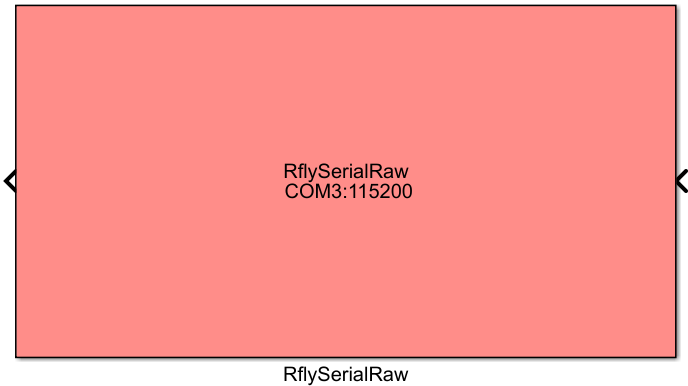
One-sentence Description: Enables native byte-stream serial communication between a Simulink model and flight controller devices connected via serial ports, supporting transmission and reception of MAVLink protocol data.
This module belongs to the RflySim Swarm interface library and is primarily used in hardware-in-the-loop (HIL) simulation scenarios to establish communication links between Simulink and physical flight controllers such as Pixhawk. The module supports simultaneous connection to multiple serial devices, allowing users to graphically select available serial ports and customize the baud rate for each port, thereby flexibly accommodating hardware communication requirements for multi-UAV swarms. The transmitted and received data are raw uint8 byte streams, which can be directly used for MAVLink message parsing and encapsulation.
Within the RflySim toolchain, this module can be used in conjunction with PX4 flight controller hardware to perform HIL simulation tests. Developers can implement custom algorithms in Simulink and directly interact with physical flight controllers via serial ports—receiving sensor data and status information from the flight controller while sending control commands to it. This supports both single-UAV development and multi-UAV swarm hardware communication scenarios.
Port Descriptions
Input Ports (Inputs)
| Port Name | Data Type | Dimension | N×1 |
Description |
|---|---|---|---|---|
TxData |
uint8 |
N×1 |
Raw byte-stream data to be transmitted via the serial port; N is the number of bytes to be sent in the current frame |
The maximum value of N is 5000, corresponding to the maximum frame length for transmission. Support for simultaneously sending corresponding byte streams to N serial ports is [to be confirmed].
Output Ports (Outputs)
| Port Name | Data Type | Dimension | Description |
|---|---|---|---|
RxData |
uint8 |
M×1 |
Raw byte-stream data received from the serial port; M is the number of bytes received in the current frame, with a maximum length of 1100 |
Parameter Configuration
The Mask dialog box, opened by double-clicking the module, allows configuration of the following parameters:
| Parameter Name | Type | Default Value | Available Values / Range | Description |
|---|---|---|---|---|
SerialPortName |
string |
COM3 |
- | Serial port name(s); multiple ports are separated by English commas |
Baudrate or list |
double / double vector |
115200 |
Standard serial baud rates | Baud rate for the serial port; can be a single value or a list corresponding to multiple ports |
Sample Time |
double |
1/30 |
>0 | Module sample time, controlling the communication frequency |
Parameter Setting Instructions
SerialPortName
Enter the serial port name(s) to which the flight controller device(s) are connected. For example, on Windows platforms use COM3, and on Linux platforms use /dev/ttyUSB0. To connect multiple serial devices, separate multiple port names with English commas, e.g., COM3,COM4, enabling simultaneous establishment of multiple serial communication connections. Click the built-in SelectAvailablePort button on the module to directly select available serial ports on the current system.
Baudrate or list
Set the baud rate for serial communication. Common values include 115200, 57600, etc. If only a single baud rate value is entered, all serial ports will use this baud rate uniformly. To assign different baud rates to multiple serial ports, input a list of corresponding length. If the list length is shorter than the number of serial ports, the last serial port will use the final baud rate value in the list.
Sample Time
Set the module's sample time in seconds, determining the communication frequency between the Simulink model and the flight controller hardware. For example, setting it to 1/30 indicates 30 communication cycles per second. The default value typically suffices for most use cases.
Module Characteristics (Block Characteristics)
| Characteristic | Value |
|---|---|
| Supported Data Types | uint8 |
| Direct Feedthrough | Yes |
| Sample Time | Discrete, user-configurable |
| Code Generation Support | No |
Data Communication Protocol
This module performs hardware communication over serial ports, transmitting and receiving raw byte-stream data in MAVLink protocol format. Each port supports a maximum single-frame buffer size of 300 bytes, with a maximum output buffer size of 5000 bytes and a maximum input buffer size of 1100 bytes. No network port configuration is involved.
Related Modules
| Module Name | Description |
|---|---|
RflyUdpRaw |
A swarm communication module based on UDP network transmission of MAVLink raw byte streams |
RflyUdpSwarmReceive |
A module for parsing MAVLink data broadcast via UDP in swarm communication |
RflySerialReceive |
A module for parsing MAVLink data transmitted over serial ports and extracting flight controller status information |
Usage Example
For relevant usage examples, refer to the following path:
Please check
Readme.pdfin the above path for complete example descriptions and operational steps.
Notes and Common Issues
- Initialization Order: Ensure the flight controller device is connected to the computer's serial port before starting the simulation, and confirm the port is available by clicking the
SelectAvailablePortbutton in the module parameter interface prior to simulation startup. If serial port parameters are modified during simulation runtime, the simulation must be stopped and re-initialized for changes to take effect; simply restarting the simulation may result in a port occupancy error. - Sample Time Matching: The module's sample time must match your MAVLink message processing logic. It is recommended to set it to
1/30~1/50. An excessively high sampling frequency may cause serial port buffer overflow, while an overly low sampling frequency may lead to message packet loss. If multipleRflySerialRawmodules are used simultaneously, all modules should be configured with the same sample time. - Multi-Serial Port Configuration: When connecting multiple flight controller devices simultaneously, separate multiple serial port names with English commas in the
SerialPortNameparameter (e.g.,COM3,COM4), and pass the corresponding baud rate list in order via theBaudrate or listparameter. If only a single baud rate is provided, all serial ports will use that baud rate uniformly. - Data Type Requirements: Module inputs and outputs are both byte stream vectors of type
uint8. Do not modify the data type arbitrarily, and ensure the input vector length does not exceed 5000 bytes to avoid buffer overflow and simulation anomalies. - Port Permission Issues: On Windows, if an error occurs indicating the serial port cannot be opened, check whether another serial tool (e.g., Mission Planner) is occupying the port. Close other occupied tools and restart the simulation.
- Baud Rate Matching: The baud rate configured in the module must match the serial port baud rate configured in the flight controller firmware; otherwise, received data will appear garbled and MAVLink messages will fail to parse.
Changelog
v4.20(2024-05-03): Initial release. Implements multi-serial-port MAVLink byte stream transmission and reception, supporting customizable multi-port configuration and multi-baud-rate settings for hardware-in-the-loop simulation communication with flight controllers such as Pixhawk.