RflyUdpFast Module Documentation
Toolbox: RflySim Swarm
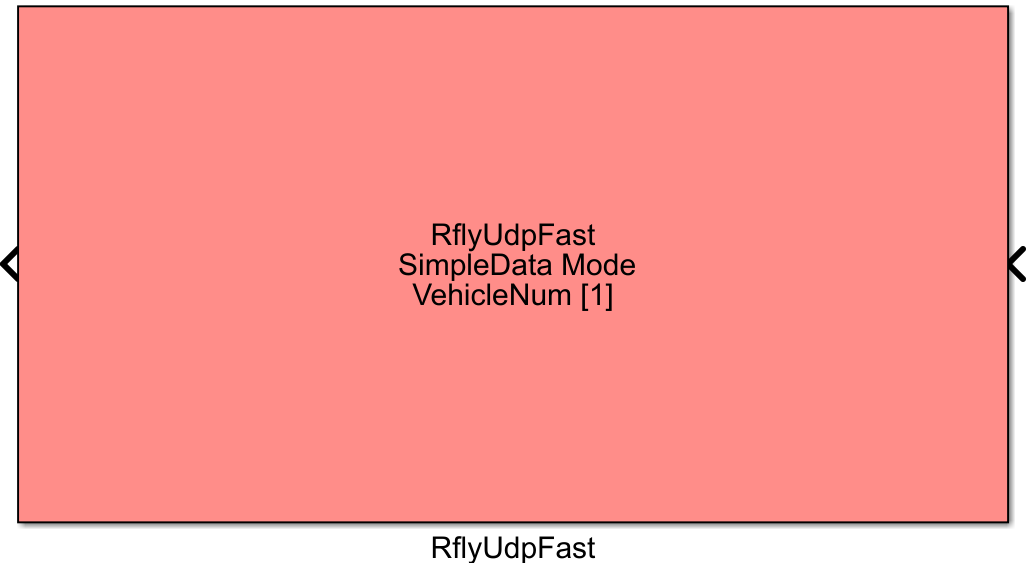
Introduction
One-sentence Description: Enables fast UDP data communication between Simulink and multiple CopterSim instances in swarm simulations, supporting transmission of control commands to multiple UAVs and real-time state feedback reception, tailored for large-scale UAV swarm simulation scenarios.
This module serves as the core communication component within the RflySim Swarm swarm toolchain, specifically designed for multi-UAV swarm simulation development. It supports two communication modes—FullData (full data) and SimpleData (simplified data)—allowing flexible selection based on swarm scale: FullData mode provides comprehensive UAV state information, suitable for small-to-medium-scale simulations with high data integrity requirements; SimpleData mode compresses transmitted data volume, ensuring communication efficiency for large-scale swarm simulations involving dozens or even hundreds of UAVs.
The module communicates with multiple CopterSim instances running on local or remote hosts via the UDP protocol. It receives control commands generated by swarm control algorithms implemented in Simulink, forwards them to the corresponding PX4 flight controllers running within CopterSim instances, and simultaneously transmits real-time UAV state data from PX4 back to Simulink for control algorithm computation. When combined with RflySim3D, it enables visual simulation and validation of large-scale UAV swarms. Users can customize the connected UAV IDs, IP addresses, and GPS coordinate origin, accommodating both single-machine multi-UAV and multi-machine distributed swarm simulation scenarios.
Port Descriptions
Input Ports (Inputs)
| Port Name | Data Type | Dimension | Description |
|---|---|---|---|
Ctrl_UAV1 |
double |
15×1 (FullData mode) / 5×1 (SimpleData mode) | Control input for the 1st UAV; dimension determined by selected UDP communication mode |
Ctrl_UAVn |
double |
15×1 (FullData mode) / 5×1 (SimpleData mode) | Control input for the n-th UAV; n equals the configured Vehicle Number; the module generates the corresponding number of input ports |
Output Ports (Outputs)
| Port Name | Data Type | Dimension | Description |
|---|---|---|---|
State_UAV1 |
double |
28×1 (FullData mode) / 12×1 (SimpleData mode) | State feedback output for the 1st UAV; dimension determined by selected UDP communication mode |
State_UAVn |
double |
28×1 (FullData mode) / 12×1 (SimpleData mode) | State feedback output for the n-th UAV; n equals the configured Vehicle Number; the module generates the corresponding number of output ports |
Parameter Configuration (Parameters)
The following parameters can be configured in the Mask dialog box opened by double-clicking the module:
| Parameter Name | Type | Default Value | Available Values / Range | Description |
|---|---|---|---|---|
IP Address |
string |
"127.0.0.1" |
Any valid IPv4 address | IP address of the target host where CopterSim instances are running |
Vehicle Number |
int |
1 |
1~255 |
Total number of CopterSim instances to connect |
CopterID List |
int vector |
[1] |
Any vector of positive integers | List of UAV IDs to connect; length must equal the total number of connected UAVs |
UDP Mode |
enum |
FullData |
FullData, SimpleData |
UDP communication data mode: FullData for full data mode, SimpleData for simplified data mode |
GPS Orin |
double vector |
[0, 0, 0] |
Any 3D vector | GPS coordinate origin used for global position calculation of UAVs |
Sample Time |
double |
0.01 |
>0 | Module sampling time; must match Simulink simulation step size |
Start Port |
int |
20100 |
Any valid port number | Starting UDP communication port number [To be confirmed] |
Real Flight Mode |
bool |
false |
true/false |
Whether to enable real-flight mode [To be confirmed] |
Parameter Setting Notes
CopterID List
This parameter is specified as a vector, defining the ID numbers of all UAVs connected by this module. Its length must match the number of UAVs configured in Vehicle Number. Example: [1:5] indicates connecting 5 UAVs with IDs 1 through 5; [6:10] indicates connecting 5 UAVs with IDs 6 through 10.
UDP Mode
FullData(Full Data Mode): Input per UAV is a 15-dimensional double vector, containing complete MAVLink Offboard control information, suitable for scenarios with fewer aircraft requiring full control parameters; output per UAV is a 28-dimensional double vector, containing comprehensive UAV state feedback information.SimpleData(Simplified Data Mode): Input per UAV is a 5-dimensional double vector, containing only basic control information, suitable for large-scale swarm simulations with many aircraft; output per UAV is a 12-dimensional double vector, containing only core state information commonly used in simulation.
GPS Orin
This parameter specifies a 3D GPS coordinate origin (latitude, longitude, altitude), used to convert absolute GPS coordinates of UAVs into global positions referenced to this origin. The resulting global position coordinates align with the PosE coordinate system in the CopterSim Unreal Engine (UE) scene, supporting global position calculation in large-scale swarm simulations.
Module Characteristics (Block Characteristics)
| Characteristic | Value |
|---|---|
| Supported Data Types | double |
| Direct Feedthrough | Yes |
| Sample Time | Discrete |
| Code Generation Support | No |
Data Communication Protocol
This module communicates with multiple CopterSim instances via the UDP protocol. Port assignment rules are as follows: each UAV occupies a dedicated port, with the starting port defined by the Start Port parameter. For the i-th UAV (zero-indexed), its receive port is Start Port + 2*i, and its target send port is Start Port + 2*i + 1. Two communication data formats are supported:
- FullData Mode: Input per UAV control data is a 15-dimensional double vector; output per UAV state data is a 28-dimensional double vector. Data format conforms to the original functional specifications.
- SimpleData Mode: Input per UAV control data is a 5-dimensional double vector; output per UAV state data is a 12-dimensional double vector. Data format conforms to the original functional specifications.
Related Modules
| Module Name | Description |
|---|---|
RflyUdpReceive |
Basic communication module for receiving UDP data from a single drone |
RflyUdpSend |
Basic communication module for sending UDP control data to a single drone |
Usage Examples
For related usage examples, please refer to the following path:
Please refer to
Readme.pdfin the above path for complete example descriptions and operational steps.
Notes and Common Issues
- Initialization Order: This module requires all target CopterSim instances to be started first, followed by the Simulink simulation. Otherwise, the module will fail to establish UDP connections, resulting in data reception failure. If connecting to CopterSim instances on a remote IP address, ensure network connectivity between the two devices and that the corresponding UDP ports are open in the firewall.
- Sample Time Matching: The module's
Sample Timeparameter must match the simulation step size of the Simulink model. It is recommended to set it to 1 ms or 2 ms; an overly large sample time can lead to packet loss, delayed updates of drone states, and degraded control performance. - Parameter Configuration Consistency: The drone IDs configured in
CopterID Listmust match the IDs set in the corresponding CopterSim instances; otherwise, data mismatches will occur, preventing correct control of the target drones. The value ofVehicle Numbermust match the length ofCopterID List; otherwise, port generation errors will occur, causing the simulation to fail to start properly. - Communication Mode Selection: When the number of cluster drones exceeds 10, it is recommended to select
SimpleData(simplified) mode to effectively reduce communication bandwidth usage and avoid stalling or packet loss during large-scale simulations. If full state data—including raw GPS information and positioning accuracy—is required and the number of drones is small, thenFullData(complete) mode should be selected. - Coordinate Unit Conversion: In
FullDatamode, GPS-related output data is scaled; unit conversion must be performed according to the documentation when using the output data: GPS latitude, longitude, and altitude require dividing latitude/longitude by 1e7 and altitude by 1e3 to obtain meter units; GPS speed requires dividing by 100 to obtain m/s units; relative altitude requires dividing by 1000 to obtain meter units; heading angle requires dividing by 1000 to obtain an angle value in the range of 0~360 degrees. - Coordinate Origin Consistency: In large-scale swarm simulations, the
GPS Orinparameter of all RflyUdpFast modules must be consistent with the coordinate origin set in the CopterSim software; otherwise, the calculatedGlobalPosglobal position will be offset and will not correspond to the actual coordinates of the UE map. - Port Allocation Rules: This module automatically allocates UDP ports based on
CopterID. Multiple RflyUdpFast modules on the same computer cannot be configured with duplicate drone IDs; otherwise, port conflicts will occur, leading to communication failure.
Update Log
v4.1.0(2024-05-03): Initial version release, supporting fast UDP data communication with multiple CopterSim instances, providing FullData and SimpleData communication modes, supporting custom UAV ID lists and global coordinate origin settings, adapted for large-scale swarm simulation scenarios.