PX4FaultInParamsSend Module Documentation
Toolbox: RflySim Model
Introduction
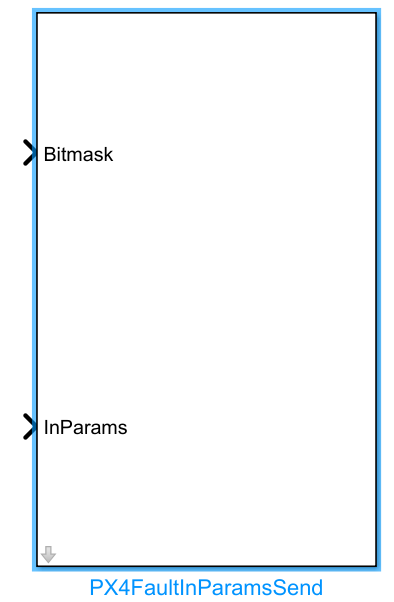
One-sentence Description: Packages specified fault injection simulation parameters and sends them via UDP protocol to the dynamics model of the corresponding CopterSim instance.
This module belongs to the RflySim Model toolchain and is used to dynamically modify parameters of the drone dynamics model in CopterSim during Simulink simulation. Its typical application scenario is fault injection simulation for drones, enabling dynamic modification of sensor, actuator, or dynamics-related parameters during simulation to emulate various hardware faults and performance degradation scenarios. Based on the configured target IP address and CopterID, the module automatically calculates the corresponding UDP port (30100+(copterID-1)*2), packages the user-specified parameter bitmask and 32-dimensional parameter values into a standard structure, and sends it via UDP to the DLL dynamics model of CopterSim, enabling closed-loop fault simulation validation in conjunction with the PX4 flight controller.
Port Descriptions
Input Ports (Inputs)
| Port Name | Data Type | Dimension | Description |
|---|---|---|---|
Bitmask |
uint32 |
1×1 |
32-bit unsigned bitmask; each bit corresponds to a parameter to be modified, with bit value 1 indicating modification of the corresponding parameter |
InParams |
double |
1×32 |
32-dimensional double-precision floating-point array containing the simulation parameter values to be injected |
Output Ports (Outputs)
This module has no output ports.
Parameter Configuration (Parameters)
The following parameters can be configured in the Mask dialog box opened by double-clicking the module:
| Parameter Name | Type | Default Value | Optional Values/Range | Description |
|---|---|---|---|---|
Target IP Address |
string |
127.0.0.1 |
Valid IPv4 address | IP address of the host where the target CopterSim is running |
CopterID |
int |
1 |
1~255 |
ID number of the target drone |
Parameter Setting Instructions
Target IP Address
Specifies the IP address of the host running the target CopterSim simulation process. For local simulation, the default 127.0.0.1 is sufficient. If CopterSim runs on another host, this must be changed to the corresponding host IP address.
CopterID
The ID number of the target drone. The module automatically calculates the UDP communication port based on this ID: port number = 30100 + (CopterID - 1) * 2. The ID range supports 1 to 255, enabling parameter injection for scenarios involving simultaneous simulation of multiple drones.
Module Characteristics (Block Characteristics)
| Characteristic | Value |
|---|---|
| Supported Data Types | double, single, uint32 |
| Direct Feedthrough | Yes |
| Sample Time | Discrete |
| Code Generation Support | No |
Data Communication Protocol
This module sends fault injection simulation parameters to CopterSim based on the UDP protocol, following these rules:
- Port Rule: Port number =
30100 + (CopterID - 1) * 2, whereCopterIDis the target drone sequence number, starting from 1. - Data Format: Packaged and sent according to the following custom structure:
struct PX4ModelInParams{
         int32_t checksum;         // Fixed value 1234567891, identifies packet type
         uint32_t Bitmask;         // 32-bit unsigned bitmask; each bit corresponds to a parameter to be modified, with bit value 1 indicating modification of the corresponding parameter
         double InParams[32];      // 32 double-precision floating-point parameters to be sent
};
The packing format is iI32d: one 32-bit integer checksum, one 32-bit unsigned integer bitmask, followed by 32 double-precision floating-point parameters.
- Target Address: Configurable target CopterSim IP address.
Related Modules
| Module Name | Description |
|---|---|
PX4FaultInParamsRecv |
Receives fault injection parameter data returned by CopterSim |
PX4InitInParamsSend |
Sends PX4 simulation initialization parameters to CopterSim |
PX4Receiver |
Receives simulation state data output by the PX4 flight controller |
PX4ActuatorControl |
Sends actuator control data to the PX4 flight controller |
Usage Example
For related usage examples, refer to the following path:
[RflySim Installation Path]/RflySimAPIs/4.RflySimModel/3.CustExps/e0_AdvApiExps/5.ParamAPI/2.FaultInParams/2.Matlab/Readme.pdf
Please refer to
Readme.pdfin the path above for complete example descriptions and operational steps.
Notes and Common Issues
- Initialization Order: The PX4FaultInParamsSend module can only successfully send fault injection parameters after the CopterSim simulation process has started and completed initialization. If parameters are sent before the simulation starts, UDP packets will be lost and not received by CopterSim.
- CopterID and Port Matching: The module sends data via port
30100 + (CopterID - 1) * 2by default. Ensure the configured CopterID matches the target CopterSim instance number, which starts from 1, to avoid parameter delivery failure due to port mismatch. - Bitmask Format Requirements: The Bitmask input must be a 32-bit unsigned integer (
uint32), where each bit corresponds to a parameter to be modified. Only parameters corresponding to bits set to 1 in the Bitmask will be updated; if the Bitmask is all zeros, no parameters will be modified. To modify all 32 parameters at once, generate the corresponding bitmask usingbitshift(1,31) * 2 + 1. - InParams Dimension Requirements: The InParams input must be a double-precision array or list of length 32. The module automatically validates input length: if the input length is less than 32, remaining parameters are padded with 0; if it exceeds 32, only the first 32 elements are retained.
- IP Address Configuration: When CopterSim and Simulink run on the same machine, keep the default
127.0.0.1for Target IP Address. If the target CopterSim runs on another host, modify this to the correct local area network IP address of the target host, and ensure the corresponding UDP port is open in the network firewall. - Sample Time Matching: It is recommended that the module's sample time match the Simulink simulation step size. Avoid sending parameters at excessively high frequencies to prevent UDP network congestion and parameter packet loss.
Changelog
v4.0.0(2024-01-01): Initial release, enabling the transmission of PX4 fault injection simulation parameters to CopterSim via UDP.